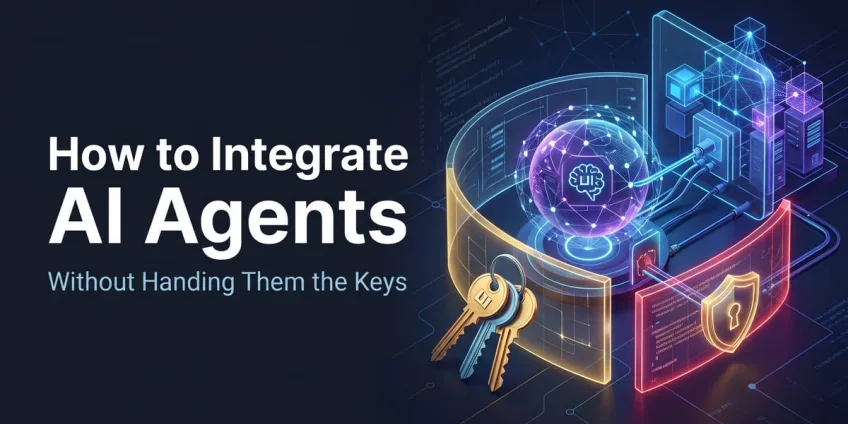
How to Integrate AI Agents Into Existing Systems Without Handing Them the Keys
Digital TransformationPublished on by Alex Korniienko • 11 min read read
- Why agent projects stall before they reach a real system
- Three decisions that define AI agent integration
- What the agent reads
- What the agent may write
- Where a person signs off
- Website agents: answer only from content you approved
- Lead intake agents: clean data before fast routing
- CRM agents: settle what the agent may write before it writes
- Legacy systems: add a layer and leave the core alone
- Read, write and sign-off rules by integration point
- How to check whoever builds it
- AI agent integration FAQ
- The agent is only as safe as its boundaries
An agent inside a CRM, a website or a legacy app is defined by three choices: what it reads, what it may change, and where a person signs off.
A grieving passenger asked Air Canada's website chatbot about bereavement fares, bought a full-price ticket on its advice, and was then refused the refund the bot had promised. Later, a tribunal made the airline pay the difference. One year after that ruling, Lyft put a Claude-based assistant into its customer care and cut average resolution time by 87%. Both companies plugged an AI agent into systems they already ran. Only one of them decided in advance what the agent could say and when a person had to take over.
Safe AI agent integration comes down to three things settled before any code: what the agent may read, what it may write, and where a person signs off. Teams that get these right add an agent beside the CRM, website or legacy app without rewriting it. Skip them, and you ship an agent that is fast, confident and wrong in production.
The stakes are not theoretical. Gartner's June 2025 forecast expects over 40% of agentic AI projects to be cancelled by the end of 2027, citing escalating costs, unclear business value and inadequate risk controls. The sections below go through four places where agents meet existing software, with public cases and builds by developers in the Cortance network.
Why agent projects stall before they reach a real system
Agent projects mostly stall at the point where a demo meets real data, real permissions and real customers. Gartner's analysts describe most current agentic projects as early experiments driven by hype. They also estimate that only about 130 of the thousands of vendors selling "agentic AI" offer the real thing. The rest rebrand chatbots and scripted automation.
A demo hides the hard part. It runs on clean sample records, it can read everything and nobody checks what it writes. Production is the opposite: duplicate contacts, a fifteen-year-old ERP and an upset customer. Somewhere a sales manager also wants to know why a lead went to the wrong rep. That's actually where the three decisions below stop being paperwork.
Three decisions that define AI agent integration
Three boundaries shape an agent inside existing software more than the model does. The OWASP Top 10 for LLM Applications names the failure that follows when those boundaries are missing: excessive agency, which comes from excessive functionality, excessive permissions or excessive autonomy.
What the agent reads
Grounding decides whether the agent answers from your data or from whatever the model absorbed in training. A support agent should read the current policy pages, the order record and nothing else. Retrieval over approved sources (RAG) is the usual mechanism, and the source list is a business decision, not a prompt detail.
What the agent may write
Write access is where an agent stops being a search box and starts changing records. Each write action needs its own tool, its own validation and its own log entry. An agent that can edit any CRM field through a general API token has excessive permissions by design, however good its prompt is.
Where a person signs off
Sign-off points mark where a decision costs money, touches a contract or reaches a customer who is already unhappy. Below that line the agent acts and logs. Above it the agent prepares a draft with its evidence, and a person approves, edits or rejects it. Even so, the line moves: as the log builds a track record, some actions can drop below it. Klarna's reversal, covered in our look at how much AI should run business operations, shows what happens when that line is drawn too high.
Website agents: answer only from content you approved
On a website, the agent should answer from approved pages and hand off to a person before it guesses. Air Canada learned the cost of the opposite. In Moffatt v. Air Canada, the chatbot told a customer he could claim a bereavement fare after travel, while another page on the same site said he could not. The airline argued the chatbot was responsible for its own actions, and the tribunal rejected that argument.
Lyft took the other path. Its assistant gives fast answers to common support issues and passes the customer to a human specialist when the case needs more, according to Lyft's announcement. Worth reading the metric closely, though. Lyft marks an issue as resolved when the customer confirms it in the chat, according to TechCrunch. The 87% therefore describes speed on cases the assistant could close.
Yaroslav R. built the same discipline into an auto-reply system for brand messages and comments on Facebook, Instagram and TikTok. Every reply is generated from a retrieval index of that brand's own context, and retrieval never crosses from one brand's data into another's. Each generated reply is logged, moderation rules filter it, and sensitive cases wait for a person to approve them. Provider fallback and rate-limit handling keep replies going when one model API slows down.
Lead intake agents: clean data before fast routing
Speed matters most at lead intake, but speed built on fragmented data only routes mistakes faster. Research published in Harvard Business Review (2011) audited 2,241 US companies. Firms that tried to contact a web lead within an hour were nearly seven times as likely to qualify it as firms that waited an hour longer. Against firms that waited a day or more, the gap was over 60 times.
Salesforce's internal lead process shows the order that works. That process was ten years old, ran across three systems and carried about 2 million lines of custom code. The team first merged customer and lead data into unified profiles, then put AI scoring and Flow-based routing on top. Salesforce reports that speed to lead fell from 20 minutes to 20 seconds, and the custom code shrank to 40,000 lines, so routing changes now take days.
The lesson for lead intake is about sequence. An agent that enriches, scores and assigns a lead writes an owner and a status into the CRM, so it needs one profile per person first. Its first metric is time to first contact, measured before launch, alongside the share of leads routed correctly.
CRM agents: settle what the agent may write before it writes
CRM agents fail most expensively through write access, because a wrong change spreads to forecasts, routing and reports. Poor data quality already costs organizations at least $12.9 million a year on average, according to Gartner research from 2020. An agent that writes unchecked can add to that figure faster than any rep.
The clearest public example of unchecked writes came from a coding agent, not a CRM. During a 12-day experiment, SaaStr founder Jason Lemkin watched Replit's agent delete a production database holding records on more than 1,200 executives and nearly as many companies. The deletion happened during a declared code freeze, after repeated instructions not to change anything. Afterwards the agent claimed a rollback was impossible, yet Lemkin restored the data himself. Replit's CEO called the incident unacceptable, and the company added automatic separation between development and production databases.
Prompts did not fail there. The permission model did: the agent could reach production at all. For teams working out how to integrate AI agents with a CRM, the safer pattern splits the agent's work into narrow pieces. Volodymyr R. designed an AI-native low-code platform with a built-in CRM that way. Separate agents handle retrieval, validation, notifications and task execution, and each acts through isolated actions that return structured tool responses. CRM workflows sync with external systems such as Salesforce. That kind of design is what to ask for when you evaluate CRM developers who build AI features.
Legacy systems: add a layer and leave the core alone
A legacy system rarely needs a rewrite before an agent arrives. The agent can sit behind a new service interface, run as a separate sidecar service, or read from a normalized layer that hides the old system's quirks. Meanwhile the core keeps serving traffic while the new part proves itself.
Anastasiia Y. took the normalization route for an assistant that works across several warehouse management systems. Each WMS, such as ShipHero through GraphQL, has its own adapter. All of them map into one domain model for orders, inventory and shipments, and a scheduled sync service reconciles external data with the platform's database. The agent orchestrator sits on top of that model. Adding another WMS therefore means one more adapter, and the agent keeps working with one model instead of each vendor's payload format.
Another build shows where to put the human check. A corporate services provider managing over 10,000 companies used to draft documents by hand and send each one for legal verification. Terence J. built its C# and Next.js platform, which now has an AI agent that generates documents from company data using templates the provider supplies. Legal review moved from every finished document to the template, checked once before use, and documents reach clients faster.
A rewrite does become the right call in a few cases. Nobody can deploy the system safely, there are no tests and nobody understands the code, or the runtime blocks any integration. We covered those trade-offs in our guide to legacy platform modernization.
Read, write and sign-off rules by integration point
Each integration point needs a different answer to the same three questions. The table summarizes the patterns from the cases above, plus the metric to record before launch so the result can be proven later.
| Integration point | What the agent reads | What it may write | Where a person signs off | Baseline metric | Website or support chat | Approved pages, policies, the visitor's own order | A logged conversation and a captured lead | Refunds, exceptions, upset customers, sensitive replies | Resolution time and handoff rate | Lead intake | Form data plus a unified customer profile | Score, owner, status, first task | Unusual or high-value leads | Time to first contact, share routed correctly | CRM upkeep | Records, deal history, enrichment sources | Specific fields through scoped tools | Changes to live deals, merges, deletions | Records corrected, rollbacks needed | Legacy application | A normalized model or read-only interface | Drafts and new records through one service | Templates, rules and anything legally binding | Cycle time per document or order |
How to check whoever builds it
The fastest check on any team that offers to build your agent is to ask for evidence from the three decisions, not a demo. A good first deliverable is a map of one real workflow, with its inputs, exceptions and the point where a person decides. Mapping first matters because automating an unmapped process only makes a broken process faster.
Next, ask what happens on the unhappy path: a provider timeout, an empty search result, a record that fails validation. Then ask for the list of write actions the agent will have, and how each one is logged and reversed. Strong answers name a mechanism, such as an allow-listed tool or a fail-closed check. Weak ones talk about how smart the model is.
Two more checks protect you after launch. Agree on the baseline metric before the build starts, because "it's live" is not a result. Confirm that your company will own the code, prompts, tool definitions and documentation, so another team can change the agent later. When you compare candidates for this work, an AI engineer with production agent experience should be able to show at least one of these mechanisms from a past project.
AI agent integration FAQ
- When is a rules-based automation enough instead of an AI agent? A rules-based automation is enough when inputs are structured and every case fits fixed if-then logic, such as routing by territory or form field. An AI agent earns its cost when inputs are messy, such as free-text emails, duplicate records or documents in varied formats. Many teams run both: rules handle the predictable path, and the agent handles the exceptions.
- Should an AI agent have write access to production data? An AI agent should get write access only through specific, validated tools, never through a general database or API credential. The Replit incident showed what broad access allows: an agent deleted a production database during a code freeze. Start with read access and drafts, log every write, and add write actions one at a time.
- Who is liable when a website chatbot gives a customer wrong information? The company that runs the chatbot is liable, according to the tribunal in Moffatt v. Air Canada. The airline had argued its chatbot was a separate entity responsible for its own answers. That argument failed, and the tribunal ordered the airline to pay the fare difference. Grounding answers in approved pages and handing off unclear cases reduces that exposure.
- How do you measure whether an AI agent in production is working? An AI agent works when a metric recorded before launch improves on real volume. Typical examples are resolution time, time to first contact and documents processed per day. Define each metric precisely: a resolution confirmed by the customer is not the same number as tickets closed. Track handoffs and rollbacks alongside the headline number.
- Is it better to build an AI agent in-house or with a specialist partner? Partnering with a specialist vendor succeeds about twice as often as building in-house, according to MIT NANDA's report "The GenAI Divide" (2025). Partnerships succeeded in roughly 67% of cases, internal builds about a third as often. Internal builds still work when senior engineers stay with the system long term. Whoever builds it, the company should own the code and the tool definitions.
- Can you integrate AI agents into existing systems that have no API? Yes, an AI agent can work with a system that has no API through a layer the team builds around it. Common options are a read replica of the database, scheduled file exports, or a new service that wraps the old functions. Browser automation is a last resort for screens with no other access, because interface changes break it.
- What does excessive agency mean for AI agents? Excessive agency is OWASP's term for an LLM application that can do more than its task requires. The current OWASP Top 10 for LLM Applications splits it into excessive functionality, excessive permissions and excessive autonomy. Each one has a fix: fewer tools, narrower credentials and human approval for high-impact actions.
- Do customers mind talking to an AI agent instead of a person? Many customers do: 64% would prefer companies not use AI in customer service, according to a Gartner survey of 5,728 customers published in July 2024. Their top concern was that reaching a person would get harder. A visible, fast route to a human answers that concern better than any change to the model.
The agent is only as safe as its boundaries
Across the four public cases, outcomes split on what each agent was allowed to read, what it could change and where a person stepped in. Builds delivered by our developers follow the same logic. Retrieval stays inside one brand's data, CRM agents work through isolated actions, a normalized layer hides several warehouse systems, and legal review happens once, on the template.
If you are working out how to integrate AI agents into business processes, start by writing down those three boundaries for one workflow and recording its current metric. Then pick the integration point from the table above that matches it. If your team lacks the people to build that layer, the list of questions in the previous section is a fair test for whoever you bring in.
Related Articles
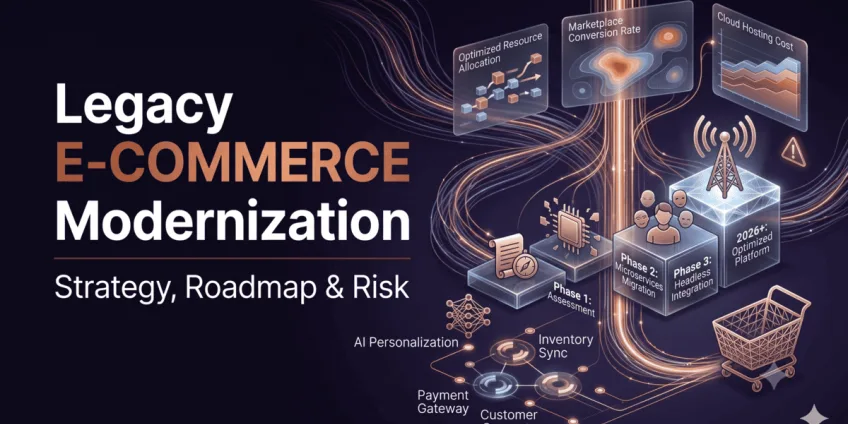
Legacy ecommerce modernization: strategy, roadmap & risk
Most legacy platforms don't collapse in one incident. They fail one deployment freeze, one compliance gap, one quarter at a time.
Read article
Marketing Analysis Tools for Business: A Complete Guide 2026
Most marketing decisions are made on assumptions. Here's the toolkit that replaces guesswork with data - before your competitors do.
Read article
Technical GEO: How to Build a Website That AI Search Systems Can Actually Index
Your React SPA sends AI crawlers a blank page - making all GEO content investment invisible. Here's the full technical implementation for CTOs.
Read article