Workflow Automation. Three Builds That Show the Limits
Case studiesPublished on by Alex Korniienko • 11 min read read
- Listing products on six marketplaces without retyping them
- Before: one catalogue, six storefronts and ten shipping accounts
- What was built: workflows first, code where the tool ran out
- After: new channels on request
- Lead-to-Cash without leaving Salesforce
- Before: sales and accounting in different hands
- What was built: the whole chain inside the CRM
- After: one record from lead to booked payment
- Reading insurance documents in custom code
- Before: adjusters checking paper by eye
- What was built: an ingestion pipeline with traceable steps
- After: structured data where there used to be a scan
- Which workflow automation layer fits your process
- Where automation stops, and a person stays in the loop
- Workflow automation FAQ: what teams ask before they start
- Start with the task that eats the most hours
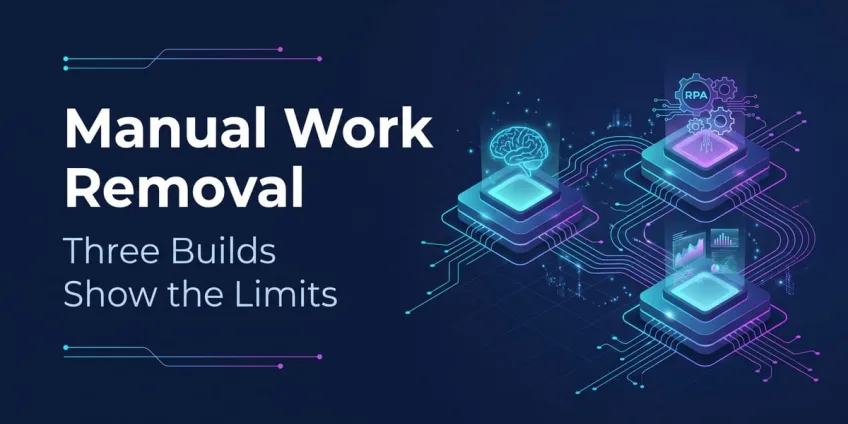
A no-code workflow tool, a CRM's own automation and a custom pipeline: three real builds, and the part of each job that still needed a person.
Ask a finance lead or an operations manager what workflow automation should take over first, and the answer is rarely glamorous.
Yevhen Vavrykiv, CEO of Cortance, hears the same list in client requests: calculations, forecasts, and moving data from one place to another. Teams want to hand off the tasks that eat hours of an employee's week, involve a lot of manual work and let mistakes slip into the data. Many of those requests now also ask for AI agents on top.
Workflow automation removes the repeatable part of that work and leaves people with the exceptions. The three builds below took the same goal down three different paths. One used a no-code workflow tool for marketplace and shipping integrations, one built automation inside Salesforce for a Lead-to-Cash process, and one used custom code for reading insurance documents. Each path fit one situation and would have failed in the others, which is the useful part for anyone choosing their own.
Listing products on six marketplaces without retyping them
Terence J. built marketplace and shipping integrations for an e-commerce business, mostly as n8n workflows. Within a month, the company could publish products to Amazon, eBay, Rakuten, Real.de, Allegro and Shopify and keep stock and prices in sync. Orders shipped through ten carriers, including UPS, USPS, FedEx, DHL and Royal Mail.
Before: one catalogue, six storefronts and ten shipping accounts
The business sold the same products in many places at once. Every new listing, price change or stock update had to reach each marketplace quickly, or the company risked selling an item it no longer had. Shipping added a second layer of manual work: each carrier has its own account, label format and tracking flow. Done by hand, that work grows with every channel the company adds.
What was built: workflows first, code where the tool ran out
After analysing the requirements, Terence chose a no-code, workflow-based approach for as much of the job as possible. Each marketplace and each carrier got its own n8n workflow, connected through REST APIs and JSON or XML payloads. Where n8n could not handle a step on its own, he wrote code in C# and TypeScript and kept it inside the workflow rather than building a separate service.
That split is the main design decision here. Marketplace and carrier APIs change often, and new channels are a regular business request rather than a one-off project. A visual workflow per channel keeps each integration small, readable and replaceable, so adding a marketplace means adding one more workflow, not reworking a codebase.
After: new channels on request
The first set of workflows went live within one month. The company has kept coming back to Terence to add more marketplaces and carriers. That repeat demand says more about this workflow automation than a launch date does, because the system was built to grow one connection at a time.
Lead-to-Cash without leaving Salesforce
An external workflow tool made sense for the marketplaces because the data lived in many outside systems. The next case was the opposite. Customer records, deals, invoices and payments all belonged in one CRM, so a tool outside it would only have added another copy of the data to keep in sync.
Andrii Y. built a full accounting and financial management system natively on Salesforce. It runs the Lead-to-Cash process end to end and generates financial documents and e-invoices. Beyond that, it exports to the DATEV format used in German accounting, matches bank transactions through finAPI and reads incoming financial documents with OCR.
Before: sales and accounting in different hands
Lead-to-Cash covers everything from the first contact with a customer to money in the bank: quote, contract, invoice, payment and the books. When sales lives in a CRM and accounting lives elsewhere, people copy data between them. Every copy is a chance for a wrong amount or a missed invoice. German businesses also need their bookkeeping data in a form their accountants and tax advisors can import, which adds an export step to the chain.
What was built: the whole chain inside the CRM
Andrii implemented the Lead-to-Cash flow inside Salesforce with financial reporting and status handling at each stage. A document generation engine built on Handlebars.js produces financial documents, including e-invoices, from the same records the sales team works with. The DATEV export integration then hands the accounting data over in the national format.
Most of the interesting automation sits on the bank side. Through finAPI, the system pulls in bank transactions and matches them to open invoices. That includes the awkward cases: a customer who pays only part of an invoice, or pays more than was due. Incoming documents go through an OCR flow based on AWS Textract, which extracts financial data so nobody has to type it from a PDF. The solution ships as a second-generation managed package with versioning, so it can be distributed and updated outside a single org, and Playwright UI tests run in the CI/CD pipeline.
Platform timing also favoured this route. Salesforce ended support for Workflow Rules and Process Builder on December 31, 2025, and recommends Flow for new automation, as Salesforce Ben reported. Teams with older automation in their org should plan to move it to Flow or Apex either way.
After: one record from lead to booked payment
The finished system keeps a customer's journey from lead to booked payment on one platform, with documents, bank matching and the accounting export generated from the same data. The project record gives no figures on hours saved, so that part of the story stays untold here.
Reading insurance documents in custom code
Neither a workflow tool nor a CRM platform fit the third problem. The documents arrived as images, and the extraction ran on the insurer's own AI and OCR engines. On top of that, the pipeline had to sit inside a distributed set of microservices with strict monitoring. That combination calls for code a team owns end to end.
Mustafa S. built document ingestion and processing services in Java and Spring Boot for an insurance company's customer onboarding and claims submission. The services capture documents such as driver's licenses, identity cards, invoices and claims forms, send them through internal AI and OCR engines and store the results as validated, structured fields.
Before: adjusters checking paper by eye
Claims adjusters and underwriters reviewed and verified physical documents by hand. Every claim and every new customer waited for someone to read a license or an invoice and type the details into a system. The process cost money, slowed processing down and left room for human error at the exact point where an insurer decides what to pay.
What was built: an ingestion pipeline with traceable steps
Mustafa built the ingestion pipelines that securely capture the documents and connected the core microservices to the insurer's internal AI and OCR engines. Those engines turn unstructured images into key-value pairs, which the services validate before anything moves downstream. RESTful APIs on Java 8 and Spring Boot store the extracted financial and personal data, with Oracle, Hibernate and Redis in the stack.
Visibility mattered as much as extraction. Mustafa used Dynatrace to trace each transaction across the distributed services, so the team could see where a document slowed down or failed instead of guessing. Unit and integration tests, plus regular architecture reviews, kept the pipeline stable as it grew.
After: structured data where there used to be a scan
The pipeline replaced manual verification with structured, validated data that downstream claims and onboarding systems can use directly. No processing-time figures are in the record, and we did not estimate any.
Which workflow automation layer fits your process
The right workflow automation layer depends on where the data lives and how often the rules change. The three builds above map onto three answers.
| Question | Workflow tool (n8n) | Inside the platform (Salesforce Flow, Apex) | Custom code |
| Where does the data live? | In many outside services with APIs | Mostly in one platform the business already runs on | In your own systems, or arrives as files and images |
| How often do connections change? | Often: new channels, new partners | When the business process changes | Rarely, but each change matters |
| What is hard about it? | Many small integrations | Keeping one record consistent end to end | Volume, extraction quality, tracing |
| Who maintains it? | A developer, with visible steps others can follow | A platform specialist | An engineering team |
| Example above | Marketplace and carrier sync | Lead-to-Cash with bank matching | Insurance document intake |
Hosting and licensing belong in the decision too. Under its Sustainable Use License, n8n can be self-hosted for a company's internal business purposes, keeping sensitive data on your own servers. Offering n8n itself as a hosted service to others needs a separate agreement. Platform-native automation inherits the platform's security model and its limits. Custom code costs the most to build and gives the most control.
Most real projects mix layers, and the cases above did too: Terence wrote code inside n8n, and Andrii used an external OCR service from inside Salesforce. Our developers work across n8n, Salesforce Flow and Apex, Python, Java, Node.js, and .NET, so a brief can start with the process rather than a tool. Profiles of our automation developers show which of these layers each person has shipped.
Where automation stops, and a person stays in the loop
Every build above has a point where the system hands over to a human, and good workflow automation is designed around that point rather than surprised by it. In the Salesforce case, a partial payment or an overpayment cannot be booked by a simple rule. The matching logic has to recognise the case and route it for a decision. Document intake has the same problem: OCR returns a confidence level for what it read, and low-confidence fields need a person to check them.
AWS makes that hand-off explicit. With Amazon Augmented AI, a Textract result goes to human review whenever its confidence score falls below a threshold you set, according to the AWS documentation. Marketplace integrations have their own version of the problem. When a channel changes its API, that channel's workflow fails while the others keep running, and someone has to notice and fix it.
The same principle applies when an AI agent sits on top of the workflow. An agent that can send money, change a record or email a customer needs a clear point where it waits for approval. Deciding where that stop sits is part of the design, not an afterthought. Our breakdown of what remote AI developers build shows the AI project types that come up most often in our network.
Workflow automation FAQ: what teams ask before they start
- n8n, Salesforce Flow or custom code: which should automate a business process? The choice depends mainly on where the process data lives. n8n suits processes that connect many outside services, Salesforce Flow suits processes whose records already live in Salesforce, and custom code suits high-volume or document-heavy pipelines that need full control. Many workflow automation projects combine two of these layers.
- What replaced Salesforce Workflow Rules and Process Builder? Flow replaced Workflow Rules and Process Builder as Salesforce's recommended automation tool. Salesforce ended support for the two older tools on December 31, 2025, which means no bug fixes or support for automation still built on them. Complex logic that Flow cannot express well is usually written in Apex.
- What is Lead-to-Cash automation? Lead-to-Cash automation connects every step from a new lead to a booked payment in one system. A typical setup covers quotes, contracts, invoices, payment matching and the accounting export. Automating the full chain removes manual copying between sales and finance tools, which is where wrong amounts and missed invoices usually appear.
- Can OCR fully automate document processing? OCR rarely fully automates document processing because extraction quality varies by document. Services such as Amazon Textract return a confidence score for extracted data, and teams route low-confidence results to a person for review. A well-designed pipeline automates the clear cases and makes the unclear ones fast to check.
- Which business processes should you automate first? The best first candidates for workflow automation are frequent tasks with clear rules and a real cost of mistakes. Copying data between systems, matching payments and reading standard documents usually qualify. Processes that change every month or depend on judgment calls are better left until the stable parts run reliably.
Start with the task that eats the most hours
Pick one process your team repeats every week and write down three things. Note where its data comes from, where it has to end up, and which cases a person would still need to judge. Those answers point to the right layer for workflow automation, whether that is a workflow tool, the platform you already run or custom code. They also tell a developer more about the job than any list of tools.
Related Articles
Where Clinics Meet Insurers: Healthcare Software Development Case Studies
In US healthcare, patient, clinic and insurer run as one system. Four builds show where the data bridge between them breaks and what holds it.
Read article
What Do Remote AI Developers Build? Project-Type Breakdown from Cortance's Expert Network
Most of 69 AI products our developers worked on used an existing model. The hard part was everything built around it.
Read article
Development Across Fintech, Healthcare, E-commerce, AI and Beyond: Where Cortance Engineers Work
800+ tagged projects, ranked by industry: fintech, e-commerce, healthcare, AI, and the internal tools nobody puts on a landing page.
Read article