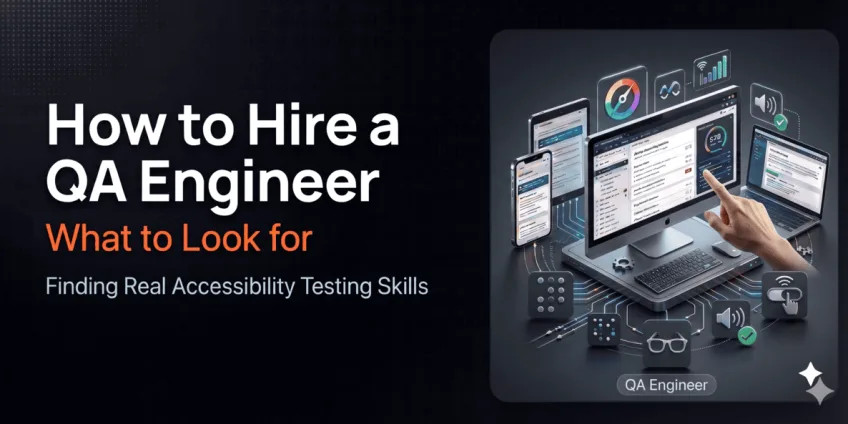
How to Hire a QA Engineer with Real Accessibility Testing Skills
How to HirePublished on by Alex Korniienko • 10 min read read
- Why Accessibility QA Skills Are Scarce
- What Automation Catches - and What It Doesn't
- What Accessibility Testing Actually Involves
- The Standard: WCAG Levels A, AA, and AAA
- What a Mature Accessibility QA Process Looks Like
- What to Look for When Hiring a QA Engineer for Accessibility Work
- Technical Indicators
- Process Indicators
- Interview Questions That Reveal Real Capability
- The Hiring Problem: Why This Takes Longer Than Expected
- Evaluation Framework: Assessing Accessibility QA Capability
- Frequently Asked Questions
- Conclusion
The resume says "experience with accessibility testing." The question is what that actually means.
Three months. That's how long the average US startup spends filling one senior engineering role, according to N-iX. For a QA engineer with genuine accessibility expertise - not just passing familiarity with Lighthouse - the search typically takes longer. The role is misunderstood, the job descriptions are vague, and the gap between "has heard of WCAG" and "builds accessibility verification into every sprint" is significant.
That gap has a real cost. Products shipped without accessible interaction patterns face legal exposure - well-known brands have faced lawsuits over missing alternative text, broken keyboard navigation, and inaccessible form structures. These are not obscure edge cases. They are functional failures for a meaningful portion of your user base.
This article covers what to actually look for when hiring a QA engineer who can own accessibility testing: the technical signals that matter, the questions that surface real capability, and the structural reasons why this skill is harder to find than the job boards suggest.
If you want the full technical context - what WCAG requires, which tools cover what, and how accessibility testing fits into a QA workflow - the foundational guide published by Basmar Software covers that ground: Accessibility Testing in QA: What WCAG Requires and How to Actually Test It.
Why Accessibility QA Skills Are Scarce
The "QA engineer" role on LinkedIn encompasses three fundamentally different roles: manual testers, automation engineers, and SDETs. Accessibility expertise rarely appears as a distinct requirement in any of them - it's usually buried in a bullet point that reads "experience with accessibility standards is a plus."
That phrasing attracts candidates who have run Lighthouse once. It doesn't filter for candidates who understand what Lighthouse misses - which is most of WCAG's human-judgment requirements.
The underlying problem is that accessibility testing lives at the intersection of technical knowledge and user empathy. Automated tools cover approximately 30% of WCAG success criteria - and we’re talking structural parts, which can be verified without the human outlook. The remaining 70% requires understanding how people actually navigate with keyboards, screen readers, and switch devices. That knowledge comes from deliberate practice, not from proximity to a checklist.
Still, the skill exists. The candidates who have it are findable. The question is knowing what to look for.
What Automation Catches - and What It Doesn't
That split between what machines verify and what humans must validate is exactly why this skill is hard to find. Here's what that looks like in practice.
A common misconception is that accessibility can be "solved" solely through tools. In practice, automation can only cover a part of WCAG success criteria. Industry estimates often land around 30% of checks for core WCAG criteria are automatable, with additional updates introducing more human-dependent requirements.
That means a strong QA practice looks like this:
What automation does well:
- Detects missing or invalid semantics;
- Flags obvious contrast issues;
- Finds common ARIA misuses;
- Highlights structural problems (headings, labels, roles);
- Scans pages at scale and tracks regressions;
What manual testing is best at:
- Validating whether interaction is actually usable;
- Testing keyboard-only navigation flows;
- Checking screen reader experience (not just "presence," but clarity);
- Verifying error messages and help content;
- Assessing whether animations or time limits create barriers;
The best accessibility testing programs treat automation as continuous monitoring and manual QA as truth validation.
A candidate who automates only covers roughly a third of the problem. The question in every interview is whether they know what they're not catching.
What Accessibility Testing Actually Involves
Before defining what to hire for, it's worth being precise about the role's requirements. A QA engineer doing real accessibility work is responsible for:
- Automated coverage in CI: integrating axe-core (or equivalent) into Selenium, Playwright, or Cypress test suites so that accessibility regressions on key pages are caught before deployment, not after.
- Manual keyboard navigation testing: verifying that every interactive element - buttons, form fields, modals, dropdowns, date pickers, carousels - is reachable and operable using only Tab, Shift+Tab, Enter, Escape, and Arrow keys. Confirming focus is always visible, focus order is logical, and no keyboard traps exist.
- Screen reader verification: not just confirming that elements have accessible names, but checking what an assistive technology actually announces - and whether that announcement is meaningful, accurate, and complete for a user relying on it.
- Accessibility bug documentation: writing defect reports precise enough that a developer can reproduce, understand, and fix the issue without a follow-up call. That means: which WCAG success criterion is violated, what the user impact is, what the expected behavior is, and what passing looks like.
- Process integration: treating accessibility checks as part of the definition of done - not a post-development phase.
All of the above is measured against one shared standard. Understanding it is a baseline requirement for the role.
The Standard: WCAG Levels A, AA, and AAA
WCAG builds a tiered conformance framework, with three levels of requirements:
- A: baseline requirements (form labels, keyboard navigation, alternative text for images, etc.);
- AA: the most common product target, expanding the baseline with rules for color contrast, alternatives to the included media, and enhanced error identification and prevention for smoother UX;
- AAA: the most strict level; often unrealistic to apply across an entire product, unless legally required for specific fields;
For most organizations, WCAG AA is the right balance between coverage and feasibility. A QA engineer who can't articulate the difference between these levels - and which criteria within AA require manual verification - isn't operating at the depth the role needs.
What a Mature Accessibility QA Process Looks Like
When evaluating a candidate's experience, the benchmark matters. Here's what a well-integrated accessibility QA workflow looks like at the process level - and what to ask candidates to compare against their own practice:
- Define a baseline: choose WCAG AA unless a different target applies (legal mandate, specific product context);
- Shift left: include accessibility checks in acceptance criteria and the definition of done - not as a separate phase after development;
- Add automation: run scans in CI for key pages and components to catch regressions before they reach staging;
- Schedule manual passes: keyboard-only walkthroughs, screen reader smoke tests, form and error handling reviews on every significant release;
- Document and prioritize: track findings by user impact, not just severity labels - a keyboard trap ranks higher than a missing decorative image alt;
- Retest like any other bug: accessibility fixes need verification and regression coverage, the same as functional defects;
A candidate who describes this workflow from their own experience - not just as a theoretical checklist - has built the habit. That's the meaningful difference.
What to Look for When Hiring a QA Engineer for Accessibility Work
Technical Indicators
Tool depth, not just tool awareness. The candidate should be able to explain the difference between what Axe DevTools finds and what it doesn't - and why WAVE is more useful for some visual inspections. Awareness of tool names is table stakes. The ability to choose the right tool for the specific verification task is the signal.
Accessibility Tree literacy. Every browser exposes an Accessibility Tree that shows what a screen reader would encounter. A qualified candidate can open it, read it, and explain whether a given element's role, name, and state are correct - without needing to run a screen reader to find out.
WCAG 2.1/2.2 at AA, criterion by criterion. Not "I know WCAG" - but "I know which success criteria automation cannot verify, and I test those manually." Ask which WCAG criteria they consider the most frequently violated in production and why.
Automation integration experience. Can they describe how they've added axe-core assertions to an existing test suite? What did the CI pipeline look like? How did they handle the noise from known issues versus genuine regressions?
Mobile accessibility. Web accessibility knowledge doesn't automatically transfer to mobile. A strong candidate understands VoiceOver on iOS, TalkBack on Android, and the specific interaction patterns - swipe navigation, touch target sizing, dynamic content announcements - that need verification on mobile platforms.
Process Indicators
Accessibility in the definition of done. A candidate who has only run accessibility audits as one-time events has a different profile from one who has built accessibility checks into acceptance criteria and sprint workflows. Ask specifically: at what point in the development cycle did accessibility verification happen in their last role?
Bug filing quality. Ask to see a sample accessibility bug report. The best ones look like functional bug reports: precise, reproducible, with a clear expected vs. actual state. Vague reports ("element is not accessible") signal a lack of surface familiarity. Specific reports ("button with id='submit' has no accessible name, violating WCAG 4.1.2; screen reader announces 'button' with no label; expected: button announces 'Submit order'") signal real working knowledge.
Communication across disciplines. Accessibility findings need to reach developers and product managers in terms they can act on. A QA engineer who frames every finding as a compliance citation will get less traction than one who frames it as a user impact: "a keyboard-only user cannot submit this form."
Interview Questions That Reveal Real Capability
These questions separate genuine expertise from checklist familiarity:
- "Walk me through how you'd test a modal dialog for accessibility. What specifically would you check, and in what order?"
- "Automated tools flagged zero accessibility issues on a page. How confident are you that the page is accessible, and what would you do next?"
- "A developer says the element has an aria-label, so it's fine. You disagree. How do you make the case?"
- "Describe a time you caught an accessibility issue that automated scanning missed. What was it and how did you find it?"
- "How would you integrate accessibility testing into a team that currently has none?"
The answers to these questions reveal whether the candidate has a methodology or a list. The methodology is what you need.
The Hiring Problem: Why This Takes Longer Than Expected
The practical challenge is that QA engineer job descriptions are interchangeable. "Strong attention to detail. Experience with automated testing frameworks. Accessibility standards knowledge is a plus." That last phrase generates almost no signal. Everyone who has seen a WCAG summary can check that box.
The candidate pool breaks down roughly like this:
- Heard of WCAG, ran Lighthouse once: common;
- Understands WCAG AA requirements, uses Axe regularly: moderately available;
- Integrates accessibility into CI, does keyboard and screen reader verification, files precise bugs: genuinely scarce;
The scarcity isn't because the skill is impossibly rare. It's because most QA roles have never required it, so engineers haven't developed it. A senior QA engineer with five years of functional test automation and no accessibility practice is starting from close to zero on the human-judgment half of WCAG - regardless of their general seniority.
This is why pre-vetted specialist pools produce better results than open job board searches for this role. Around 600 developers hold active contracts with Cortance - not registered profiles, but contracted specialists who have passed five stages of vetting. 21% of applicants pass all five stages - roughly four in five don't make it through. For teams that have spent months on a search without a workable shortlist, a first match arrives within 30 minutes during business hours.
Evaluation Framework: Assessing Accessibility QA Capability
Alongside standard QA assessment, a structured approach to evaluating accessibility-specific capability would look like this - using the aforementioned accessibility QA role requirements as a framework:
| Signal | What to evaluate | How to assess |
| WCAG knowledge | Can name which criteria automation misses and why | Technical interview question |
| Tool proficiency | Uses Axe, WAVE, browser DevTools for different tasks | Live screen share or take-home task |
| Accessibility Tree literacy | Reads and interprets browser accessibility tree output | Hands-on exercise |
| Bug documentation | Files precise, actionable accessibility defects | Sample report review |
| CI integration | Has added axe-core assertions to a real pipeline | Portfolio or walkthrough |
| Mobile coverage | Understands VoiceOver/TalkBack interaction model | Interview question |
| Process thinking | Describes accessibility as part of DoD, not a post-phase | Behavioral question |
A candidate scoring strongly on five or more of these criteria is ready to own accessibility testing in a real product team. Fewer than three typically means the role will need to develop the skill from scratch - which is a valid choice, but a different hiring decision.
Frequently Asked Questions
- How do I know if a QA engineer candidate has real accessibility experience vs. surface familiarity? Ask them to walk you through testing a specific UI component - a dropdown, a modal, a multi-step form - for accessibility. Surface-familiar candidates describe running a tool and checking the output. Genuinely experienced candidates describe a sequence: automated scan first, then keyboard walkthrough, then screen reader verification, then checking what the Accessibility Tree reports, then filing findings with WCAG criterion references.
- Should I hire a dedicated accessibility specialist or a QA engineer who includes accessibility in their scope? For most product teams, a QA engineer with strong accessibility skills integrated into their standard workflow delivers more value than a siloed specialist. Dedicated accessibility roles make sense for organizations building products under specific legal mandates (healthcare, financial services, government). For most startups and scale-ups, accessibility capability embedded in the QA function - running alongside functional testing - is the right model.
- What WCAG level should I expect a QA engineer to be testing against? WCAG AA is the appropriate baseline for most products and the level most regulatory frameworks reference. A capable QA engineer should know all Level A and AA success criteria, understand which ones require manual verification, and be able to explain the practical difference between them. AAA awareness is a bonus, not a requirement for most roles.
- What's the typical rate range for a QA engineer with accessibility expertise? Rates vary significantly by market and seniority. In Eastern European markets commonly used for staff augmentation, QA engineers with automation and accessibility skills typically work at approximately $30-60/h depending on seniority and stack - comparable to the broader range for vetted senior technical specialists.
- How to write a job description that attracts QA candidates with genuine accessibility skills? Replace "accessibility standards knowledge a plus" with specific requirements: "experience integrating axe-core into a CI pipeline," "ability to perform keyboard navigation testing without assistive tools," "familiarity with WCAG 2.1 AA success criteria including which require manual verification." Specificity filters out candidates with surface familiarity and signals to strong candidates that the role is serious about the skill.
- Can a QA engineer test accessibility without a disability? Yes - effectively. Automated tools, keyboard-only navigation testing, screen reader simulation, and WCAG criterion verification can all be performed by a tester who doesn't personally rely on assistive technology. The limitation is in nuanced usability judgment: whether the experience is genuinely efficient and clear for someone using a screen reader daily. That gap is why programs that include feedback from users with disabilities produce more complete results than technical-only testing.
- What's the difference between accessibility testing and cross-browser testing? Cross-browser testing verifies that a product works correctly across different browser environments (Chrome, Firefox, Safari, Edge). Accessibility testing verifies that a product works correctly for people using assistive technologies - screen readers, keyboard navigation, voice control, switch devices. There is some overlap: certain browser/assistive technology pairings (Safari + VoiceOver on iOS, for example) behave differently and require explicit testing. But they address different failure modes and require different skills.
Conclusion
Finding a QA engineer who can own accessibility testing - not just check a compliance box - is harder than most hiring managers expect going in. The skill exists. The candidates who have it are findable. But the job descriptions that attract them, the interview questions that surface real capability, and the evaluation criteria that separate genuine expertise from familiarity all require deliberate design.
Start with precision in the job description. Test for methodology in the interview, not just tool knowledge. Evaluate bug documentation as a direct signal of working depth. And if the search is stalling - if months pass without a workable shortlist - a pre-vetted pool with contracted specialists changes the calculation.
For teams building out their QA function, vetted QA engineers available through Cortance have undergone a five-stage technical vetting process and can integrate with your process from day one.
For the full technical picture of what accessibility testing actually involves - standards, tools, and workflow integration - the foundational guide at Basmar Software's blog covers exactly that.
- #testing
- #howto
- #tips
- #smarthiring
- #hire
- #upworkalternative
- #qaengineers
- #accessibilitytesting
- #qaprocess
- #interviewquestions
Related Articles

Types of Salesforce Developers and How AI Is Reshaping Each Role
Five Salesforce roles, five different jobs. Hire the wrong one and the cost shows up months later.
Read article
How to Hire Cloud Engineers Without Losing Weeks to a Process Built for a Different Era
Six weeks to hire one cloud engineer. That's not unusual - it's the industry average. The fix isn't moving faster through the same funnel.
- #cloudsolutions
- #howto
- #comparison
- #smarthiring
- #pricing
- #teamextention
- #cloudengineers
- #aws
- #azure
- #gcp
How to Build a Dedicated Development Team in 2026
Forty-one days to hire one developer. The dedicated team model promises a fix - but only if you pick the right version of it.
- #digitaltransformation
- #howto
- #startup
- #teamscaling
- #smarthiring
- #teamextention
- #Vetted Developers
- #talentprovider
- #offshore
- #nearshore